by The Cullector Team
Laptop Accessories to Upgrade Before the Work Season Hits
Stands, mice, chargers, and carry cases compared across six retailers — so you can build a smarter remote work laptop setup without the guesswork.
Whether you're piecing together a proper home office or packing for a month of remote work on the road, the right laptop accessories for work can make a surprising difference to how you feel at the end of the day. We evaluated picks across six retailers — Office Depot, Staples, HP, Logitech G, EcoFlow, and Case-Mate — comparing price, portability, build quality, described features, and overall value for different types of workers. The goal: two contrasting options per retailer, so you can quickly see what suits your priorities.
We compared products based on criteria including ergonomics, power capacity, wireless connectivity, size compatibility, travel-friendliness, and price point. Each pairing puts a feature-rich option against a more budget-conscious or portable pick, giving you a clear sense of where to spend and where to save.
What Are the Best Laptop Accessories for Work and Travel in 2026?
The best laptop accessories for work and travel combine portability, ergonomic value, and reliable connectivity — think an adjustable laptop stand, a wireless mouse, and a high-capacity portable laptop charger as your core trio. Beyond those essentials, a cooling pad extends performance during long sessions, a USB-C hub for laptop expands your ports on the go, and a padded sleeve protects your machine between meetings or flights. The right combination depends on whether your priority is desk comfort, travel weight, or both.
How to Choose Laptop Accessories for a Remote Work Setup
Before buying, think about where you work most. If you're desk-bound, an ergonomic laptop stand and a full wireless keyboard-and-mouse combo will serve you better than a lightweight sleeve. If you travel frequently, prioritize weight — a slim cooling pad, a compact wireless mouse, and a high-wattage portable laptop charger are more useful than a heavy docking station. For hybrid workers who split time between home and a coffee shop or co-working space, versatile accessories that pack flat and connect quickly (like a USB-C hub for laptop or a wireless keyboard and mouse combo) tend to offer the best return.
Price is also a real factor. You don't need to spend $200 on a wireless mouse to get good tracking and comfort — several sub-$30 options perform well for everyday office tasks. We flagged where the premium price is justified by specific features, and where a more affordable pick does the job just as well. If you also travel with your laptop, it's worth pairing any of these picks with a portable charger guide to cover all your power needs on the road.
Office Depot's range skews toward practical, desk-focused accessories — a sturdy laptop stand to improve your posture and a cooling pad that quietly keeps your machine from overheating during long work sessions.

Allsop® Adjustable Metal Laptop Stand, 2-1/2"H x 13-7/16 ...
A durable metal laptop stand that raises your screen to a more ergonomic height — one of the most impactful changes you can make to a remote work laptop setup. Adjustable positioning means you can dial in the right angle for your eye level, which matters when you're logging long hours. The metal construction keeps things stable without adding bulk to a desk.
shop
CoolerMaster NotePal X Slim Laptop Cooling Pad
If your laptop runs hot during heavy workloads or video calls, a laptop cooling pad is worth considering before you write off performance issues as a hardware problem. This slim CoolerMaster option supports laptops up to 17 inches, features a fully meshed surface, and uses a 160mm silent fan — so it won't compete with your audio during meetings. At $24.99, it's one of the more affordable fixes for heat-related slowdowns.
shop| Feature | Allsop® Adjustable Metal Laptop Stand | CoolerMaster NotePal X Slim Cooling Pad |
|---|---|---|
| Price | $39.99 | $24.99 |
| Best For | Desk ergonomics and posture improvement | Preventing heat throttling during long sessions |
| Build / Style | Adjustable metal construction, desk-forward | Slim mesh design, fits up to 17" laptops |
| Travel-Friendly | Less portable; better suited for a fixed desk | Slim profile makes it more packable |
| Value | Solid investment for daily ergonomic improvement | Strong value for an affordable thermal fix |
The Verdict
If you work from a fixed desk and haven't yet addressed your screen height, the Allsop laptop stand is the higher-priority purchase — poor posture compounds over months in ways a cooling pad won't fix. But if your laptop runs noticeably warm or you've noticed performance dipping during intensive tasks, the CoolerMaster is a smart, low-cost addition. For most remote workers, the stand comes first; the cooling pad follows when needed.
Staples offers a broad selection of laptop accessories for work across multiple price points — here, a feature-packed cooling pad with USB ports goes head-to-head with a wireless keyboard and mouse combo that clears desk clutter.
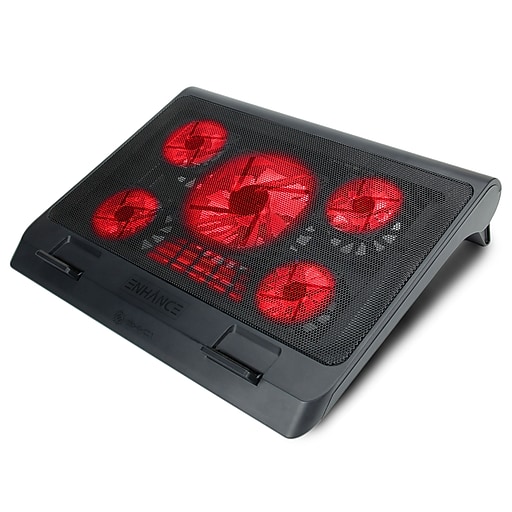
Enhance Laptop Cooling Pads | Staples
The Enhance Cryogen 5 goes a step beyond basic cooling — it's an adjustable stand and cooling pad in one, with a built-in fan and two USB ports so you gain connectivity while managing heat. That combination is particularly useful if you're working from a single USB-C laptop and need to expand your setup without a separate USB-C hub. The adjustable stand angle also means you can use it to prop your screen higher while keeping airflow underneath.
shop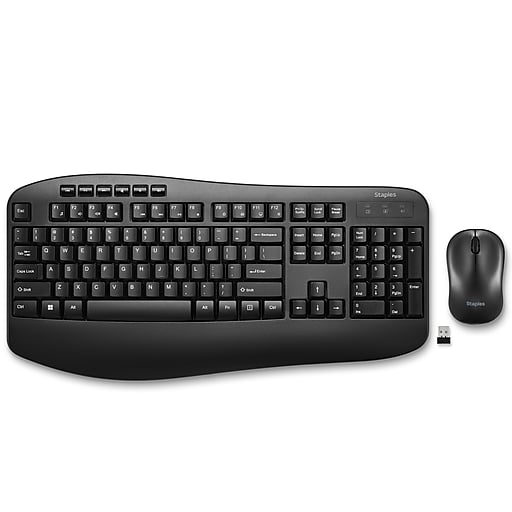
Wireless Keyboard & Mouse Combos | Staples
A wireless laptop keyboard and mouse combo is one of the most effective ways to reclaim desk space and improve ergonomics when using a stand. At $29.99, this category at Staples covers the essentials without unnecessary spend — and eliminating cord clutter is genuinely one of those quality-of-life improvements that's hard to go back from. Worth considering for anyone setting up a cleaner, more focused remote work space.
shop| Feature | Enhance Laptop Cooling Pads | Wireless Keyboard & Mouse Combos |
|---|---|---|
| Price | $39.99 | $29.99 |
| Best For | Heat management plus extra USB connectivity | Cord-free desk setup and daily typing comfort |
| Style / Form | Adjustable cooling stand with integrated fan | Compact wireless combo, minimal desk footprint |
| Value | Good for 2-in-1 function at a mid-range price | Strong value for everyday wireless convenience |
| Ideal Setup | Fixed desk, heat-sensitive workflows | Any desk setup where portability and cleanliness matter |
The Verdict
These two work well together rather than against each other, but if you're buying just one, the wireless keyboard and mouse combo offers broader daily benefit for most workers — you'll use it every hour you're at your desk. The Enhance cooling pad earns its price if your machine runs warm or you want a stand that does double duty, but it's a more specific purchase.
HP's accessory lineup prioritizes wireless performance and clean design. The two mice compared here differ meaningfully in price and features — one targets productivity-focused professionals, the other everyday users who want quiet, reliable tracking.

HP 690 Rechargeable Wireless Mouse
The HP 690 is a wireless laptop mouse designed for users who move between locations regularly — it connects via Bluetooth, offers up to four months of battery life per charge, and supports fast Qi wireless charging so you're rarely scrambling for a cable. For remote workers who forget to charge things (which is most of us), the long battery life is a meaningful spec rather than a marketing number. A strong pick for a polished, travel-ready wireless mouse.
shop
HP 400 Quiet Wireless Mouse
The HP 400 keeps things straightforward: Bluetooth or 2.4GHz dongle connectivity, adjustable DPI up to 6000, and a quiet click design that's genuinely considerate in shared spaces or open-plan offices. The lower price point makes it an easy recommendation for anyone who doesn't need Qi charging but wants a reliable wireless laptop mouse with flexible connectivity options. Available in multiple colors, including a distinctive purple finish.
shop| Feature | HP 690 Rechargeable Wireless Mouse | HP 400 Quiet Wireless Mouse |
|---|---|---|
| Price | $50.99 | $28.99 |
| Best For | Frequent travelers, Qi charging households | Shared workspaces, budget-conscious buyers |
| Connectivity | Bluetooth with Qi wireless charging | Bluetooth or 2.4GHz dongle |
| Key Feature | Up to 4 months battery life, rechargeable | Quiet click, adjustable DPI up to 6000 |
| Value | Justified for its battery and charging specs | Strong value for everyday wireless use |
The Verdict
The HP 690 is the better mouse for travelers and anyone who wants minimal maintenance — the four-month battery life and Qi charging are genuinely useful differentiators at $50.99. But for a fixed desk setup or a secondary machine, the HP 400 does the core job well at nearly half the price. The extra spend on the 690 is worthwhile if travel is a regular part of your work life; otherwise, the 400 is the smarter buy.
Logitech G's lineup spans high-performance peripherals and understated desk accessories. The contrast here is intentional: a feature-heavy laptop keyboard built for precision use versus a minimal desk mat that quietly improves daily comfort.

Logitech G PRO Keyboard - Tenkeyless Portable Gaming
The tenkeyless layout makes this a practical option for anyone who types a lot and wants mechanical switch feedback without the bulk of a full-size keyboard — it's compact enough to pair with a laptop stand setup without dominating the desk. The GX Blue clicky switches provide tactile, audible feedback well-suited to writers and coders, and LIGHTSYNC RGB lighting is there if you want it. A considered pick for remote workers who prioritize typing experience in their laptop keyboard choice, though the clicky switches may not be ideal for open offices or shared spaces.
shop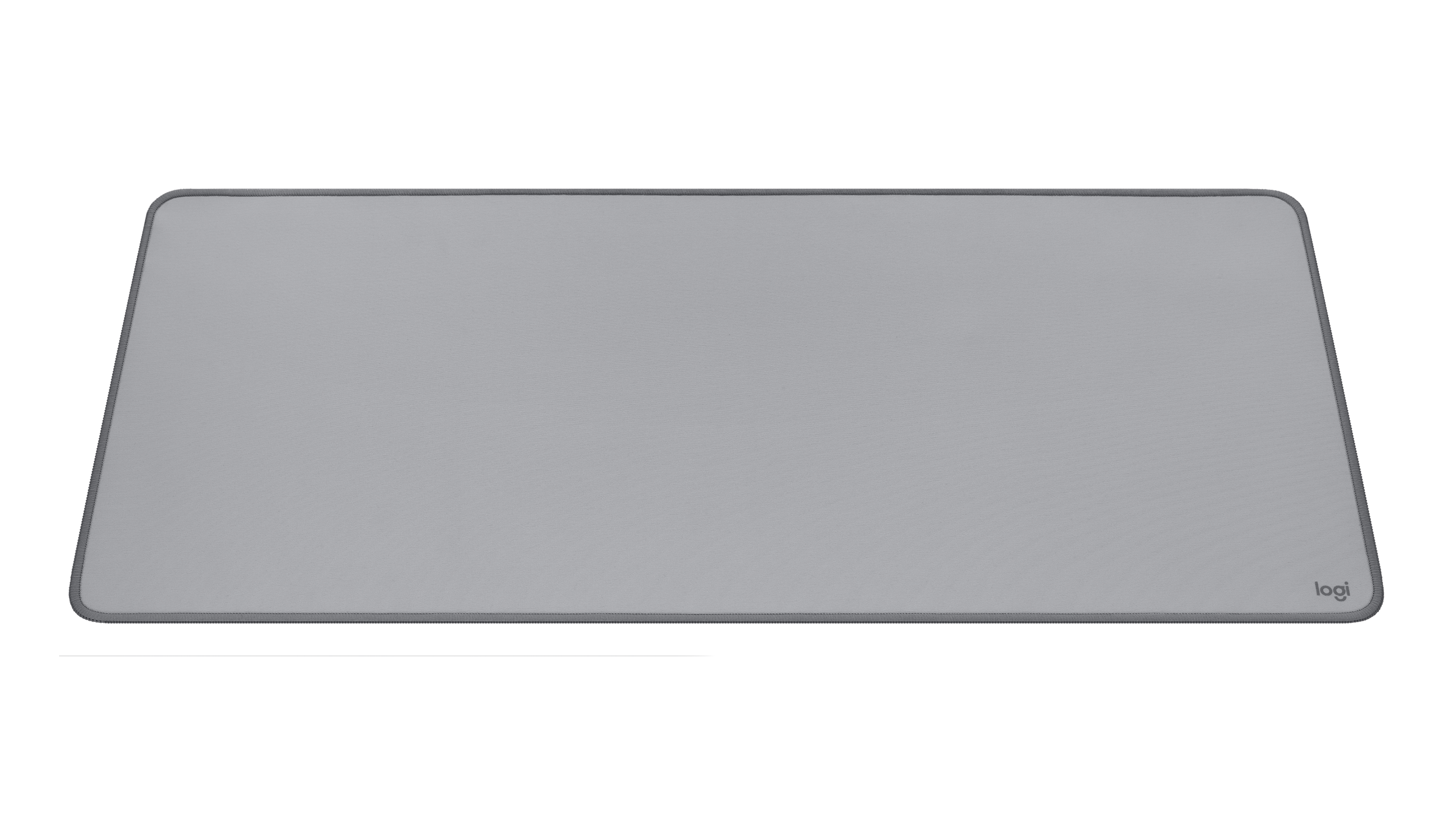
Logitech DESK MAT - Studio Series
A laptop desk organizer upgrade that doesn't require reorganizing anything — the Logitech Studio Series Desk Mat simply improves the feel and look of your workspace with an anti-slip base and a spill-resistant surface. It's the kind of low-effort, high-impact change that makes a home office feel more intentional. At $19.99 and available in colors including Dark Rose and Mid Grey, it's an easy addition to any remote work laptop setup that wants a little more personality without clutter.
shop| Feature | Logitech G PRO Keyboard | Logitech DESK MAT - Studio Series |
|---|---|---|
| Price | $79.99 | $19.99 |
| Best For | Writers, coders, and heavy typists | Anyone upgrading their desk aesthetic and comfort |
| Style | Tenkeyless mechanical, professional / performance | Minimalist, studio-aesthetic, multiple color options |
| Tradeoff | Clicky switches may not suit shared workspaces | Purely ergonomic/aesthetic — not a performance accessory |
| Value | Justified for daily heavy typing use | High value for the price; easy desk upgrade |
The Verdict
These serve genuinely different purposes. The G PRO keyboard is for remote workers who type a lot and want a compact mechanical laptop keyboard with real tactile feedback — if that describes your day, $79.99 is reasonable. The desk mat, on the other hand, is the easiest $19.99 desk upgrade in this entire article. If you only want one, and you already have a keyboard you like, start with the mat. If you're building a full remote work laptop setup from scratch, the keyboard earns its place in the lineup.
EcoFlow focuses on high-output portable power. Both picks are relevant for anyone working on the road who can't always rely on a wall outlet — the question is whether you need maximum capacity or a lighter, more versatile everyday carry.
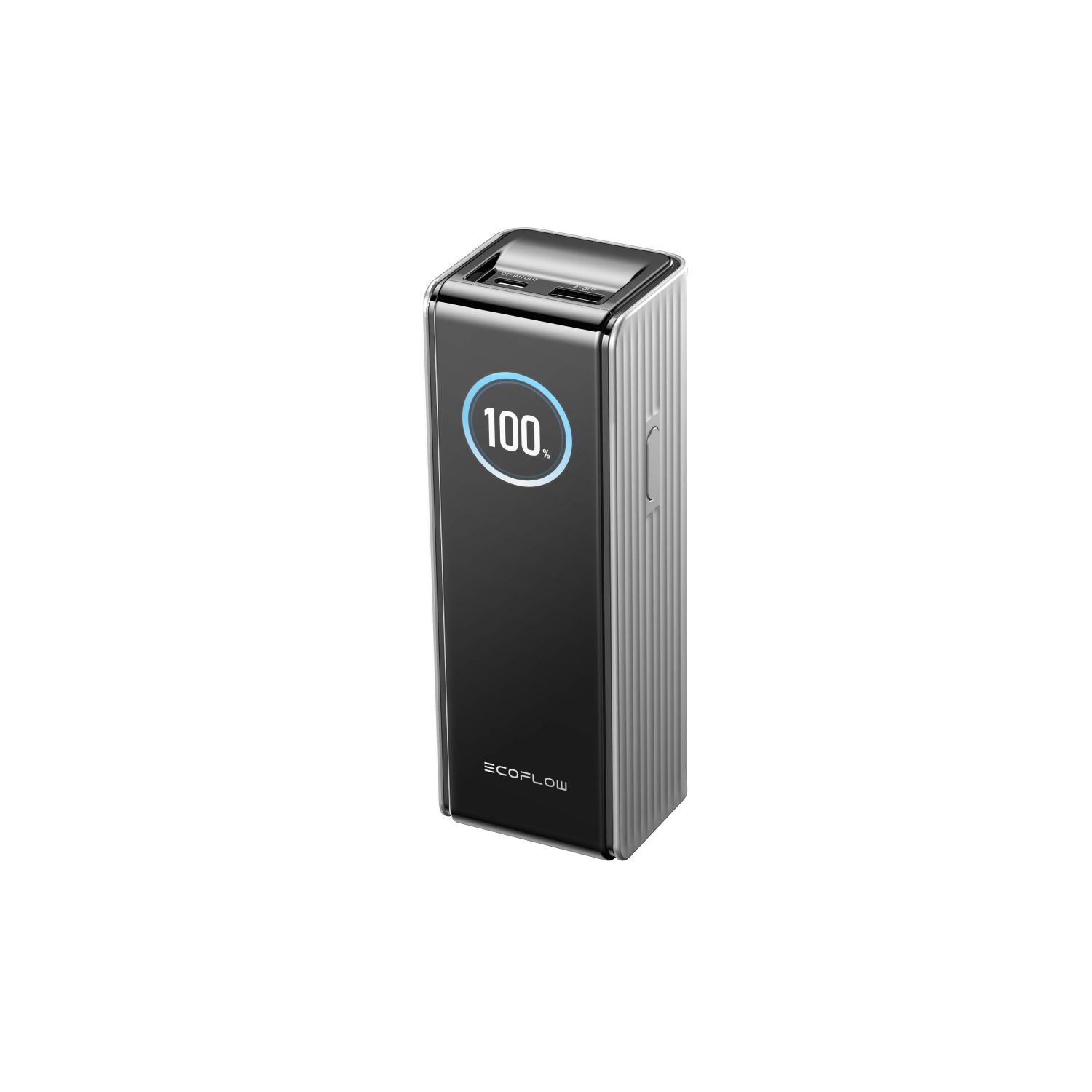
EcoFlow RAPID Power Bank (25,000mAh, 170W)
At 25,000mAh and 170W output, this is a portable laptop charger in the truest sense — it has the capacity and wattage to meaningfully recharge a laptop, not just top up a phone. For remote workers taking long travel days or working in locations where outlets aren't guaranteed, that power headroom is a significant advantage. The 170W output is notably high for a unit this size, making it one of the more capable options if keeping your laptop charged away from a desk is a regular need. Worth noting: it's heavier than compact alternatives.
shop
EcoFlow RAPID Pro 3-in-1 Power Bank (10,000mAh, 67W)
The 3-in-1 format here means this power bank handles multiple device types from a single unit — useful for a travel setup where you're carrying a laptop, phone, and earbuds and don't want three separate charging cables. At 67W output and 10,000mAh, it's more realistically a phone and tablet charger with some laptop top-up capability rather than a full laptop replacement, but the compact size makes it a natural best laptop accessories for travel pick for lighter travel days. A practical middle ground at $46.99.
shop| Feature | EcoFlow RAPID Power Bank (25,000mAh, 170W) | EcoFlow RAPID Pro 3-in-1 (10,000mAh, 67W) |
|---|---|---|
| Price | $85.99 | $46.99 |
| Best For | Long travel days, laptop-dependent workflows | Multi-device travelers on lighter trips |
| Capacity / Output | 25,000mAh / 170W | 10,000mAh / 67W |
| Form Factor | Heavier; higher-capacity carry | Compact; 3-in-1 versatility |
| Value | Worth it if laptop charging on the go is essential | Good value for multi-device everyday travel |
The Verdict
If you routinely work from airports, trains, or locations without reliable outlets and a laptop is your primary tool, the 25,000mAh RAPID at $85.99 is the practical pick — the 170W output gives it genuine laptop-charging ability. For day trips or lighter travel where your laptop will mostly stay charged and you just need backup power for multiple devices, the 3-in-1 at $46.99 saves money and weight. Choose by the length and intensity of your travel, not by price alone. For more portable power comparisons, see our full portable charger guide for travelers.
Case-Mate's laptop and travel accessories lean toward design-forward protection — a hardworking tech organizer for those who want everything in one place, paired with a statement laptop sleeve that doesn't sacrifice padding for style.
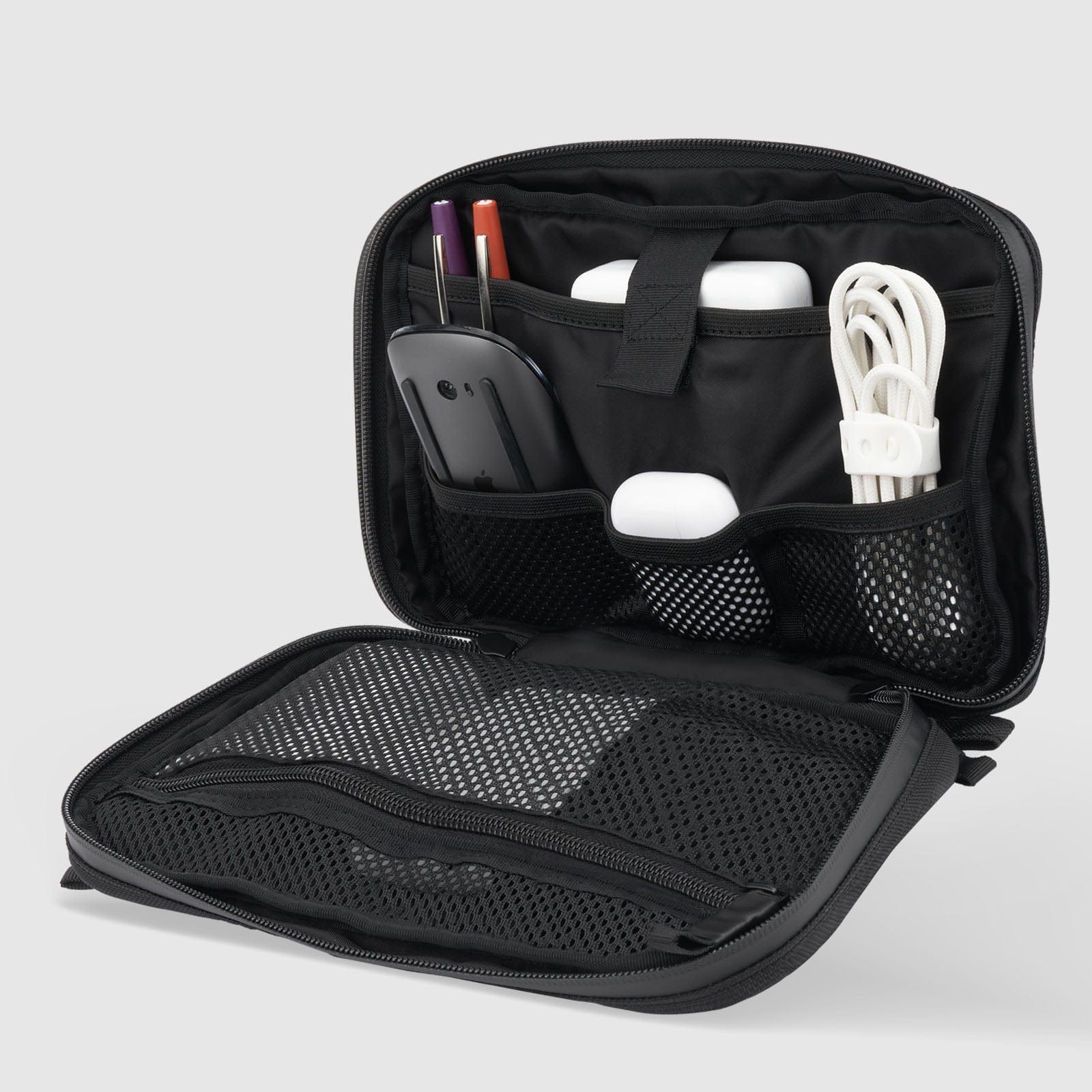
Pelican Traveler Tech Organizer
This is a laptop bag for travel companion rather than a bag itself — a dedicated tech organizer with compartments for a mouse, cables, earbuds, and pens, plus a concealed AirTag compartment that's a genuinely practical addition for frequent travelers. If you currently dig through a main bag pocket looking for a charger cable at airport security, this kind of structured organizer solves a real problem. At $30, it's one of the more useful $30 purchases in this category for anyone who travels regularly with multiple accessories. For other smart travel tracking ideas, see our guide to Bluetooth trackers for luggage and bags.
shop
kate spade new york Classic Leopard Puffer Sleeve
A laptop bag for travel that also functions as a style statement — the kate spade Classic Leopard Puffer Sleeve pairs a plush inner lining and padded exterior with a print that's hard to miss in a conference room or café. The padded outer pocket adds practical storage for documents or a charger, and the 16-inch fit makes it compatible with most current laptop sizes. It's a reasonable choice for anyone who wants their laptop bag to reflect their personal style without sacrificing protection. The trade-off: the bold print won't appeal to everyone, and it's a sleeve rather than a full bag.
shop| Feature | Pelican Traveler Tech Organizer | kate spade Classic Leopard Puffer Sleeve |
|---|---|---|
| Price | $30 | $50 |
| Best For | Travelers who carry multiple accessories | Style-conscious professionals and commuters |
| Style | Functional, understated, black organizer | Bold leopard print, fashion-forward |
| Laptop Protection | Not a laptop sleeve — organizes accessories | Padded sleeve designed for up to 16" laptops |
| Value | High utility for the price | Style-plus-protection combination at mid-range price |
The Verdict
These two products solve different problems, and many travelers would benefit from both. If you only pick one, consider what's actually missing from your current setup: if your laptop is unprotected in transit, the kate spade sleeve is the priority. If your accessories are loose and disorganized, the Pelican organizer will make every travel day smoother. For those building out a complete travel tech kit, pairing the organizer (for cables and small accessories) with a padded sleeve (for the laptop itself) is a practical combination. If you want more help planning a travel-friendly tech kit, our travel accessories hub has additional picks.
Building a Remote Work Laptop Setup That Actually Works
The best laptop accessories for work don't need to be expensive or numerous — they need to be well-matched to how you actually work. A structured approach: start with ergonomics (a laptop stand and a wireless keyboard), add thermal management if your machine runs hot (a slim cooling pad), then address power and organization for travel (a high-wattage power bank and a tech organizer). A laptop sleeve protects your investment, and a desk mat costs almost nothing while making your workspace feel more considered.
Where people tend to overspend is on accessories that solve problems they don't have. A 170W power bank is excellent for long international travel but unnecessary if you always work near an outlet. A mechanical keyboard is a genuine productivity tool for writers but probably overkill for someone who primarily takes calls. Buy for your actual workflow, not an aspirational one — and if you're also looking to stay active during long work-from-home days, our walking pads guide covers another home office upgrade worth considering.
Conclusion
Across the six retailers compared here, the clearest value plays are the Logitech Desk Mat ($19.99), the CoolerMaster Cooling Pad ($24.99), the HP 400 Quiet Mouse ($28.99), and the Staples Wireless Keyboard and Mouse Combo ($29.99) — all practical, low-cost additions to any setup. For the best laptop accessories for travel specifically, the EcoFlow RAPID Power Bank and the Pelican Tech Organizer stand out as genuinely useful rather than aspirational purchases. At the premium end, the HP 690's long battery life and Qi charging are features frequent travelers will actually use, and the Allsop Metal Laptop Stand remains one of the highest-impact ergonomic upgrades for a fixed home office desk. Explore the full product selection across all six retailers — there's a well-matched setup at nearly every budget.
Frequently Asked Questions
Do I need a USB-C hub for my laptop if I'm working remotely?
A USB-C hub for a laptop is worth considering if your machine has limited ports and you regularly connect external displays, keyboards, mice, or storage drives. Most modern laptops — particularly slim ultrabooks — ship with just one or two USB-C ports, which fills up quickly in a multi-device setup. A hub consolidates those connections and can also provide extra USB-A ports for older accessories. If you only connect a wireless mouse via dongle and charge via USB-C, a hub may not be necessary.
Is a laptop screen protector worth buying for remote and travel use?
A laptop screen protector can be worthwhile if you frequently work in public spaces and want privacy filtering, or if you want to reduce glare in bright environments. They won't meaningfully improve image quality, and some matte privacy filters can slightly reduce color accuracy — worth knowing if your work involves color-sensitive editing. For pure scratch protection during travel, a padded sleeve (like the options from Case-Mate above) does more to protect the screen than a film applied to it.
What should I look for in a wireless laptop mouse for travel?
For a wireless laptop mouse designed for travel, prioritize Bluetooth connectivity over a dongle receiver (fewer things to lose), compact or foldable form factor, and long battery life — ideally rechargeable rather than relying on AAA batteries. DPI adjustability is useful if you switch between a laptop screen and an external monitor. The HP 690's rechargeable design and four-month battery life are strong markers for a travel-focused pick; the HP 400 offers dual connectivity (Bluetooth or dongle) for more flexibility.
How much wattage does a portable laptop charger need to charge a laptop?
Most modern laptops require between 45W and 100W to charge at full speed via USB-C, though thinner ultrabooks can charge at lower wattages. A portable charger rated at 65W or above will charge most consumer laptops at a useful rate; anything under 30W may only slow the discharge rather than meaningfully recharge during use. The EcoFlow RAPID 25,000mAh at 170W comfortably covers most laptops; the RAPID Pro 3-in-1 at 67W works for the majority of ultrabooks and thinner machines. Always check your laptop's USB-C charging spec before buying.